After have successfully installed WordPress and chosen a theme for my blog post, I thought I was done and was ready to start writing articles but then someone told me I needed to install plugins.
 Some articles listed 50+ plugins. Others said only install 5 plugins maximum. Everyone recommended different ones. Which got me confused and worried. What if I installed the wrong plugins? could my site break because of it? or worse, what if I missed something essential
You’re probably in the same situation right now. You’ve set up WordPress and you’ve chosen a theme. Now you’re hearing about “plugins” and you don’t know:
What plugins actually are? Which ones you need and the optional ones? How many do I need to install, if it’s too much hope it won’t slow down my site? How to install them? whether free plugins are safe and good enough? I had these exact questions some month ago.
Eventually, I got to realize that I only needed 5 essential plugins to start. This 5 free plugins will help your blog rank on Google (SEO), protect your site from hackers, back up your content, also allows readers contact you, and as well blocks spam messages.
All these are free, safe and beginner-friendly. In this guide, I’ll show you:
What WordPress plugins are, the 5 must-have plugins every Nigerian blogger needs, how to install them, which plugins to avoid (don’t make my mistakes).
WHAT ARE WORDPRESS PLUGINS
WordPress plugins are like apps for your blog. Just like you install apps on your phone to add features (WhatsApp for messaging, Instagram for photos), you install plugins on WordPress to add features to your blog. For example;
To rank your blog on Google, an SEO plugin should be installed.
For automatic backups, a backup plugin is recommended.
And if a contact form is needed, a forms plugin should be added as well.
And the good news is that WordPress has over 60,000 FREE plugins. You can add almost any feature without paying or knowing code. What am about to show you is the one you actually need among the over 60,000.
1. YOAST SEO ⭐⭐⭐⭐⭐
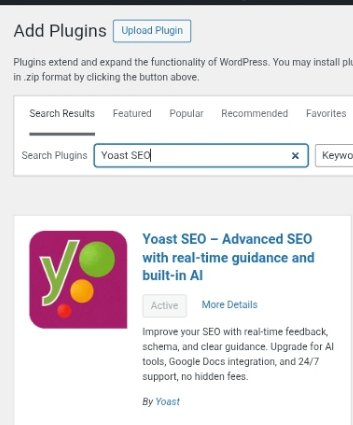
The first true all-in-one SEO solution for WordPress, including on-page content analysis, XML sitemaps and much more helps your blog rank on Google. If you want people to find your blog on Google, you need Yoast SEO. It’s the number 1 SEO plugin for WordPress which is being used by over 5 million bloggers.
Every successful blogger uses an SEO plugin, and Yoast is the best free option. For all my published article on my blog website, I use SEO on every single article. It’s helped me optimize all my posts for Google rankings.
This plugin gives you SEO tips as you write, indicate what needs to be improved. It also allows you to set focus keywords for each post. Optimizes your titles and meta descriptions for you. Checks readability, sentence length, transition words, etc.
It also helps create XML sitemaps which helps Google find your content. It also shows you how your post will look in Google search results. After you’ve installed it you will see a Yoast SEO box below every post you write.
Installing it is as easy as ABC under the plugins menu, search for Yoast SEO and click on Add new. That’s it. Just enter your focus keyword, follow the suggestions and ensure you aim for green or orange lights and publish.
2. UPDRAFTPLUS ⭐⭐⭐⭐⭐
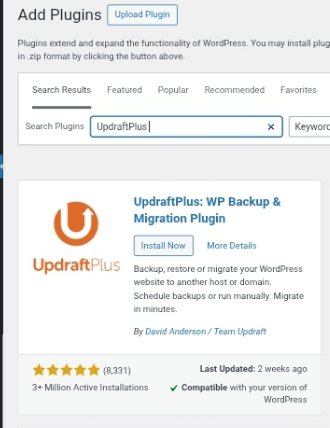
This plugin automatically backs up your entire blog. You won’t want all your effort wasted. Imagine spending 3 months writing articles, then your site crashes or gets hacked. All your work gone. This happened to a blogger friend of mine. He lost everything because he had no backup.
UpdraftPlus automatically backs up your blog post, articles, images, settings and every other thing to cloud storage (Google Drive, Dropbox, etc.). If anything goes wrong, you can restore everything in one click. Knowing better that my blog is fully backed up makes me sleep better.
This plugin auto-backs up your blog daily, weekly, or monthly. It saves all your backup data to Google Drive, Dropbox, or email. One-click restore if something breaks. Most bloggers sees the free version as being perfect.
If you want to install it, go to WordPress dashboard and navigate through the plugin icon, click on it and search for “UPDRAFTPLUS”, then click on add new.
After you have successfully installed it, go to Settings -UpdraftPlus – Schedule automatic backups. I will advise you choose the weekly option. Choose where to save backups, Google Drive is the easiest. After this, you are done.
3. AKISMET ANTI-SPAM ⭐⭐⭐⭐⭐
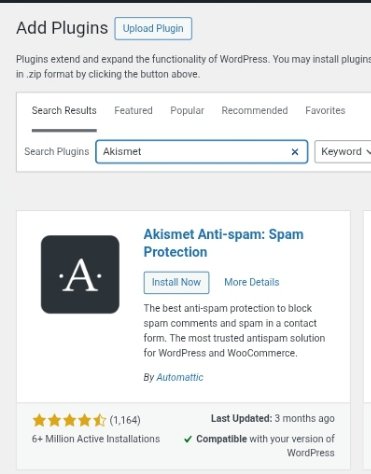
This helps you block spam comments automatically. Once your blog starts getting visitors, spammers will flood your comment section with junk links and garbage and I guess you won’t want this to happen. Failure to install this, you will waste about 30 minutes daily deleting spam comments.
It helps detects and blocks spam before it ever shows up on your blog. This plugin is usually pre-installed on WordPress. You just need to activate it. It blocks 99% of spam comments automatically, it keeps your comment section clean, saves you hours of manual spam deletion additionally, free for personal blogs.
After activating, get a free API key from Akismet.com it takes just 2 minutes. Enter the key in WordPress, and you’re protected. That’s it. Like I said earlier, the plugin is usually pre-installed. Just go to Plugins – installed Plugins then Activate Akismet
4. WPFORMS LITE ⭐⭐⭐⭐⭐
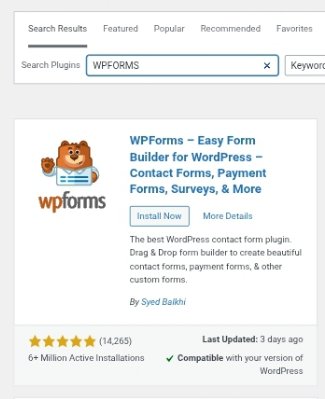
If helps in creating contact forms so readers can email you. As your blog grows, brands will want to work with you. Readers will have questions. People will want to hire you.
You need an option for them to contact you easily. WPForms Lite lets you create simple contact forms (Name, Email, Message) in 2 minutes.
Very easy drag-and-drop form builder. Creates contact forms, survey forms, feedback forms. You get an email notification when someone contacts you. Spam protection built-in Free version is perfect for most bloggers. If you want to install it Search “WPForms Lite” in Plugins then click on Add New.
After you have successfully installed it, go to WPForms and click on Add New, after that choose “Simple Contact Form” template, customize if you want then you save it. Then add the form to your Contact page using a shortcode. Complete.
5. JETPACK ⭐⭐⭐⭐
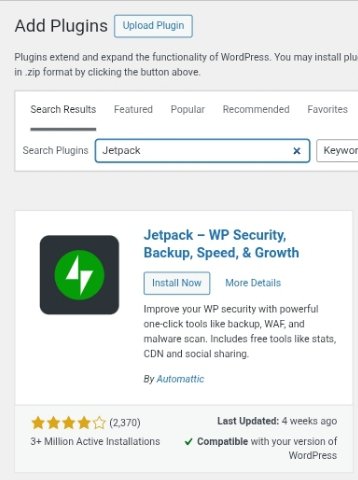
Site stats, security, performance, and social sharing in one plugin. Jetpack is like a Swiss Army knife which does multiple things like; shows your site stats, how many visitors, which posts are popular, e.t.c,
It’s protects from brute-force attacks and also speeds up image loading also adds social sharing buttons. The free version has lots of useful features i use it mainly for site stats to see which articles get the most traffic.
Jetpack allows you to see the number of visitors that visited your page. It also protects from attack. Image CDN i.e it’s speeds up image loading.
Allows for Social sharing buttons and related posts feature. How to install; Search “Jetpack” in Plugins and click on Add New. After installing, connect to WordPress.com (free account). Choose which features to activate. I recommend: Stats, Security, and Image CDN.
In most cases, Jetpack slows down some sites because it’s a bit heavy it so only install if you need the features.
HOW TO INSTALL PLUGINS
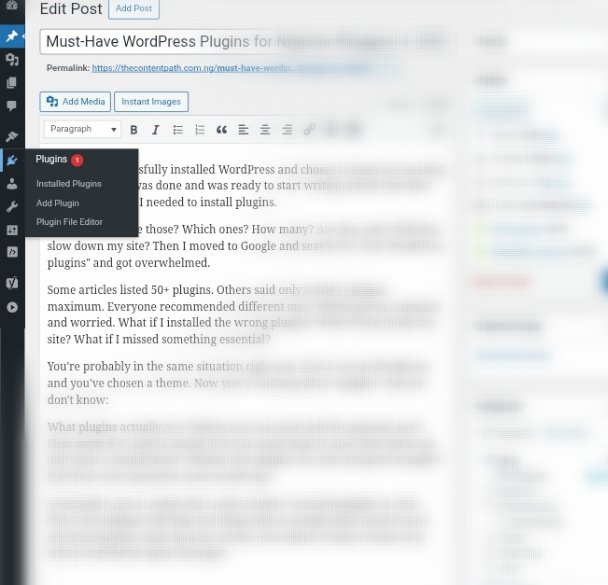
In your WordPress dashboard, click Plugins in the left menu, then click Add Plugin. Type the plugin name in the search box (e.g., “Yoast SEO”). When you see it, click Install Now. Wait 5-10 seconds for installation. After installation, click Activate.
The plugin is now active on your blog. Most plugins work immediately after activation. Some (like Yoast SEO and Akismet) need quick 2-minute setup, but the plugins guide you through it.
PLUGINS TO AVOID
Based on my experience and mistakes, here are the plugins you should avoid.
Don’t install 20+ plugins, too many plugins slows down your site. Stick to 5-10 essential plugins maximum. Every plugin adds code that slows down your blog. Nigerian internet is somehow slow complicate things for yourself.
Don’t install outdated plugins, If a plugin hasn’t been updated in 2+ years, don’t install it. It might have security holes or break your site. Before you could install any plugin, check the Last Updated date before installing.
Don’t install plugins with bad reviews: If a plugin has 2-star reviews with complaints like broke my site or doesn’t work, please avoid it. Stick to popular plugins with 4+ star ratings and 100,000+ active installations.
Don’t install pirated premium plugins: there are some sites that offer expensive premium plugins for free (nulled/pirated versions). Never install them. They often contain malware that can hack your site. Stick to official free plugins from the WordPress repository.
Install these 5 today and your blog will be properly set up for success. You’ll have SEO, security, backups, and a way for readers to contact you. Also remember that these 5 are enough to start with. As your blog grows, you can add more plugins later.
Lastly, if you are ready to complete your WordPress setup, check out these guides:
What is WordPress? A Simple Guide for Nigerian Beginners 2026
Best Free WordPress Themes for Nigerian Bloggers in 2026
How to Start a Blog in Nigeria in 2026 (complete setup guide)
If you have questions about WordPress plugins? Feel free to drop them in the comment section.
Finally, if this guide helped you, share it with a Nigerian friend starting a blog. Choosing the right plugins can be confusing you can help them out with this Article.